
Screenshots
App details
- Updated
- Sep 29, 2006
- Language
- English
- Developer
- AOL y Karpesky
- Category
- Mobile
SoftPas in:
This product is also available in the following languages:
About Active Virus Shield
Download Active Virus Shield – antivirus, malware protection, free antivirus, computer security, real-time protection
Overview
Active Virus Shield is a security-focused application designed to protect computer systems from a wide range of digital threats. Developed through a collaboration between AOL and Kaspersky, the app offers a robust solution for users seeking reliable malware detection and elimination without cost. Its primary purpose is to safeguard devices from malicious software, including viruses, spyware, and other harmful programs that can compromise data integrity and system performance. The app addresses critical security gaps by providing proactive monitoring and targeted scanning capabilities, making it particularly useful for users who prioritize system safety but may not have access to premium antivirus tools.
Target users include home users, small office environments, and individuals who require a lightweight yet effective security solution. The app’s free model makes it accessible to a broad audience, especially those who are budget-conscious or seeking temporary protection during system maintenance. Real-world use cases include safeguarding sensitive personal information, securing email communications, and ensuring system stability by preventing unauthorized changes to critical files and startup processes. In the broader app ecosystem, Active Virus Shield occupies a niche as a legacy but still relevant tool, offering a free alternative in a market dominated by subscription-based models.
The developer, AOL & Kaspersky, brings a strong reputation in digital services and cybersecurity, lending credibility to the application. However, specific details about ongoing support, updates, or integration with modern security frameworks were not provided. The app was released on September 29, 2006, indicating its status as a long-standing tool with historical significance in the evolution of free antivirus software.
Key Features & Functionality
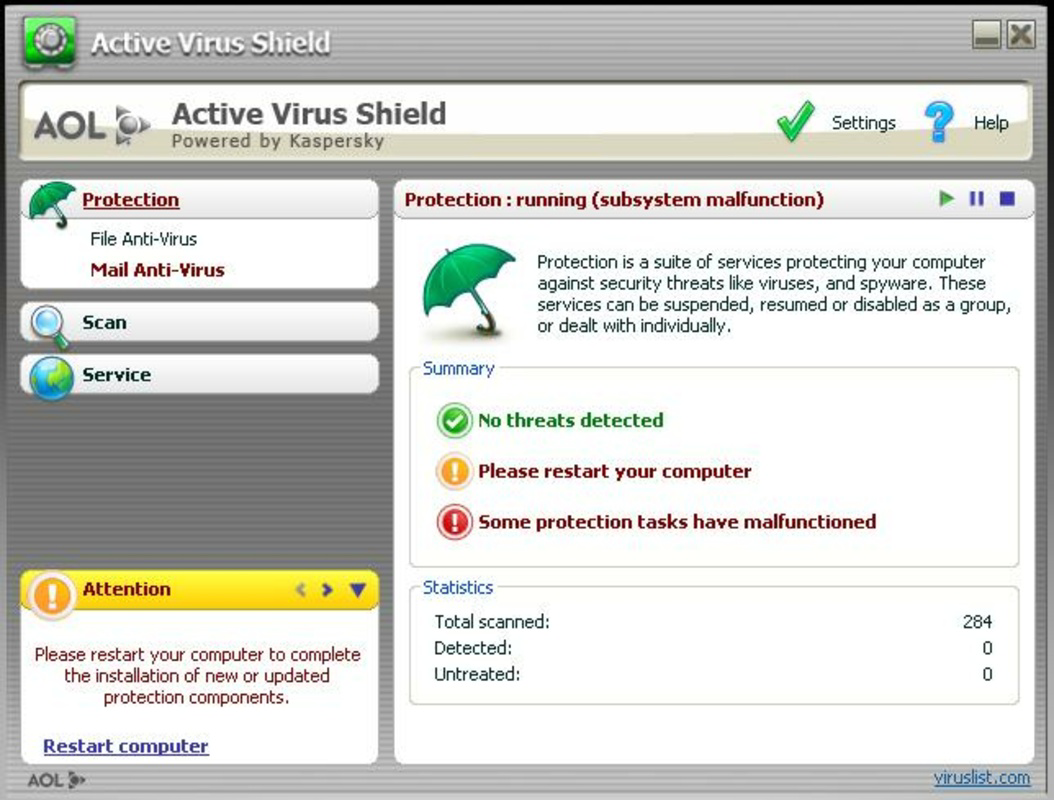
- Real-time File Protection: The application continuously monitors file activity across the system, instantly detecting and neutralizing threats as they appear. This proactive defense helps prevent malware from executing or spreading, especially during downloads or software installations.
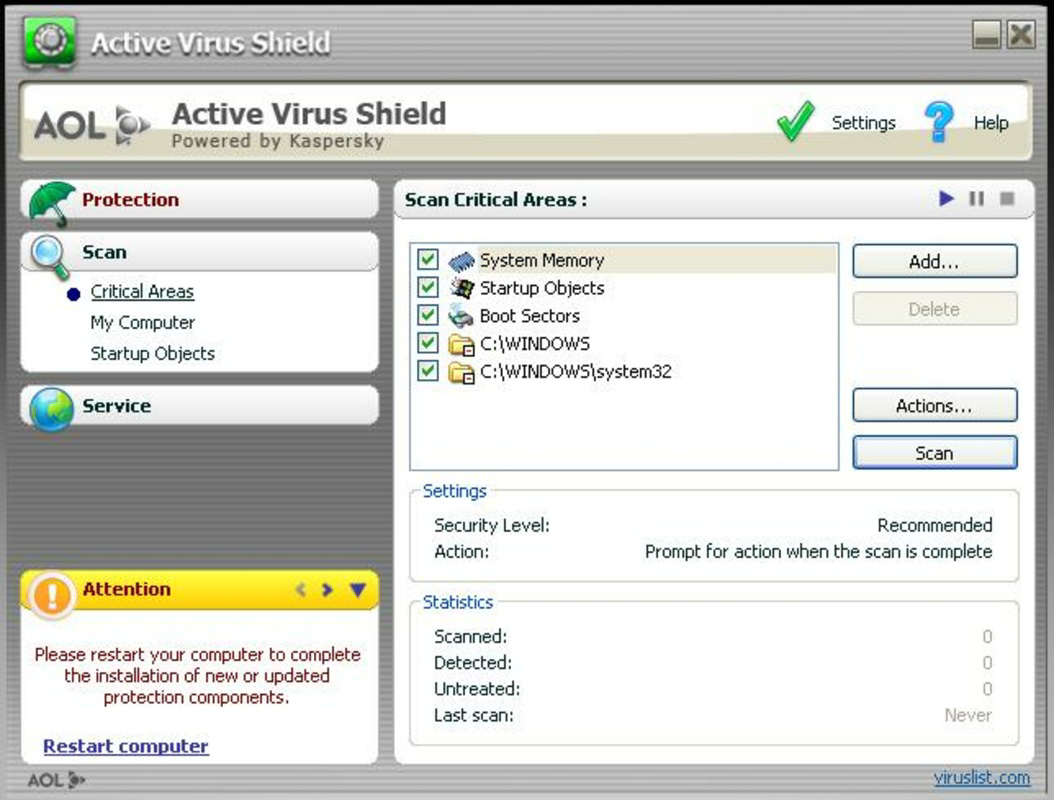
- Comprehensive Scanning: Active Virus Shield performs deep scans on high-risk areas such as memory, system files, and startup processes. These scans help uncover hidden threats that may evade standard detection methods, enhancing overall system integrity.
- Email Protection: Integrated with most major email clients, the app scans both incoming and outgoing messages for malicious attachments, links, and phishing attempts. This feature is essential for users who rely on email for personal or professional communication.
- Cost-free Solution: The app remains entirely free of charge, offering all core features without requiring a subscription. This model makes it a compelling option for users seeking powerful security without financial commitment.
For example, a user downloading a software package from an untrusted source can benefit from real-time protection, which would immediately flag any suspicious file behavior. Similarly, someone managing a small business with limited IT resources can use comprehensive scanning to verify system health before critical operations. Email protection ensures that a user receiving a deceptive invoice attachment is alerted before opening it, reducing the risk of data compromise.
Interface, UX & Performance
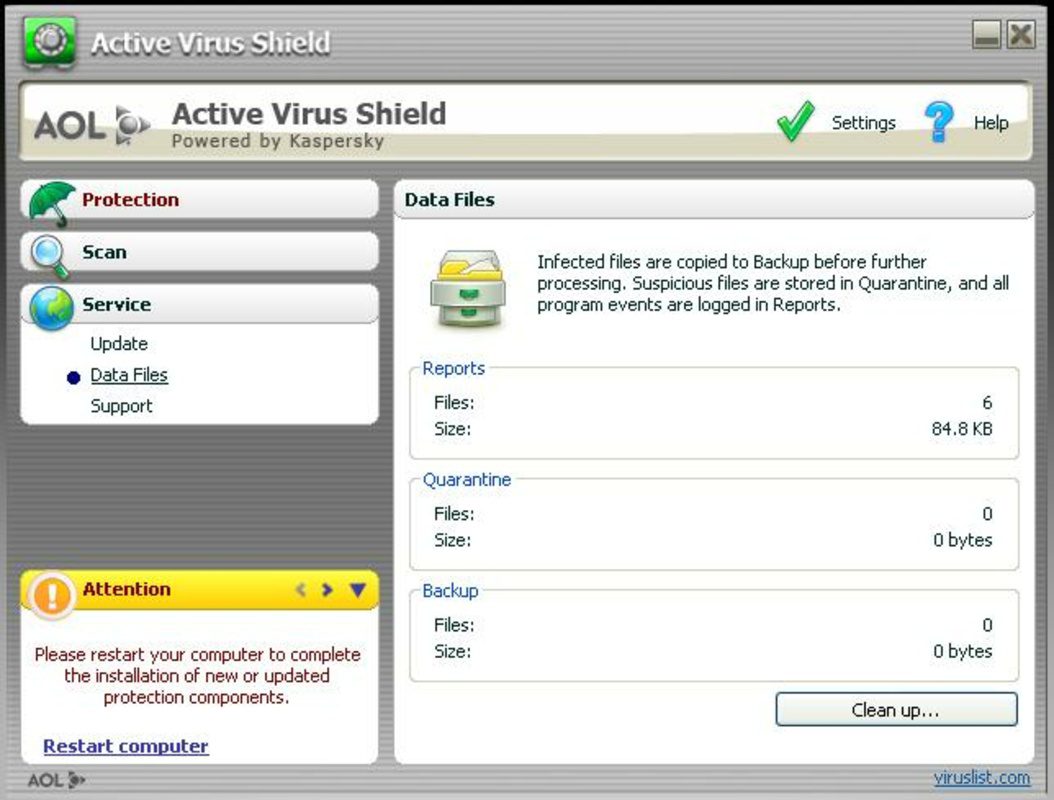
Active Virus Shield features a straightforward user interface designed for accessibility across different technical skill levels. The layout emphasizes clarity, with clearly labeled sections for scanning, protection status, and settings. Navigation is intuitive, allowing users to initiate scans, review logs, and adjust protection preferences with minimal effort. The visual style is minimalistic, focusing on functionality over decorative elements, which aligns with its utility-focused purpose.
While the developer did not list formal performance metrics, the app’s file size of 14.4 MB suggests a lightweight footprint, likely contributing to efficient operation on older or low-resource systems. Users can expect stable performance during scanning and real-time monitoring, though responsiveness may vary depending on device specifications. The app maintains a consistent state during operation, with no reported instability or crashes in publicly available records.
Although the developer did not specify minimum OS requirements, the app’s age and size indicate compatibility with older Windows systems. However, performance on modern hardware and newer versions of Windows may be uncertain without further testing. The app does not appear to consume excessive CPU or memory during idle periods, which supports its reputation as a low-impact security tool.
Platform Compatibility & Technical Requirements
Active Virus Shield is designed for the Windows platform. The current version is 2.0.1, with a file size of 14.4 MB. The app is available as a free download, with no cost associated with installation or usage. The developer did not specify minimum OS requirements, nor did they list compatibility with specific Windows versions such as Windows 10 or Windows 11.
Given the release date of September 29, 2006, the app was originally developed for earlier Windows environments, including Windows XP and Windows Vista. Users attempting to install it on modern systems may encounter compatibility issues, such as missing system libraries or unsupported APIs. The developer did not provide information about 64-bit support or administrative privileges required for installation.
For users seeking to run the app on current devices, testing on a virtual machine or legacy environment may be necessary. The absence of updated system requirements suggests that the app is no longer actively maintained, which could impact its ability to detect modern malware strains.
Pros and Cons
- Free to download and use with no hidden fees
- Real-time protection helps prevent threats before they execute
- Comprehensive scanning of memory, system files, and startup processes
- Email protection compatible with major email clients
- Developed by reputable companies: AOL and Kaspersky
- Released in 2006; may lack support for modern threats
- No official updates or maintenance since release
- Compatibility with current Windows versions is uncertain
- Missing detailed system requirements or technical specifications
- Not available on mobile platforms or macOS
FAQ
Is Active Virus Shield safe to download and install?
Yes, the app was developed by AOL and Kaspersky, both reputable organizations in digital security. However, due to its age and lack of updates, it may not protect against modern malware threats.
Can I use Active Virus Shield on Windows 10 or Windows 11?
While the app was designed for older Windows systems, compatibility with Windows 10 or 11 is not guaranteed. Users may encounter installation or functionality issues without compatibility mode or virtualization.
Does Active Virus Shield require a subscription?
No, the app is completely free. There are no subscription fees or in-app purchases required for full functionality.
Is Active Virus Shield available for Android or iOS?
No, the app is only available for Windows. It is not compatible with mobile operating systems such as Android or iOS.
How often does Active Virus Shield update its virus definitions?
The developer did not provide information about update frequency. Given the app’s release date in 2006, it is unlikely to receive regular updates, which may reduce its effectiveness against current threats.
Final Thoughts
Active Virus Shield remains a notable entry in the history of free antivirus software, offering real-time protection, comprehensive scanning, and email security at no cost. While its legacy status and outdated development timeline present limitations in modern cybersecurity environments, it still serves as a functional tool for users on older systems or those seeking a lightweight, no-cost solution. The collaboration between AOL and Kaspersky adds credibility, though the absence of ongoing support raises concerns about long-term reliability.
For individuals using legacy hardware or testing security concepts in controlled environments, the app may still offer value. However, for most users today, it is recommended to consider actively maintained antivirus solutions that provide regular updates and modern threat detection. That said, understanding tools like Active Virus Shield helps contextualize the evolution of digital security.
Download Active Virus Shield now
Guides & Tutorials
How to install Active Virus Shield
- Click the Download button above.
- Once redirected, accept the terms and click Install.
- Wait for the Active Virus Shield download to finish on your device.
How to use Active Virus Shield
This software is primarily used for its core features described above. Open the app after installation to explore its capabilities.
User Reviews
No reviews yet. Be the first to share your experience.
You may also like
more
Que no te pillen¡
About !Que no te pillen¡Reviewed by Jason A. BilbreyShow MoreShow Less

3D Combat Zone
About 3D Combat ZoneOriginally released in 1983, 3D Combat Zone immerses players...

666: El día del portal
About 666: El día del portalOn June 6, 2006, Agent P. Stone uncovers a sinister...

80 in 1 Best Flash games
About 80 in 1 Best Flash games 80 in 1 Best Flash games is a collection of 80 fl...

ABYSS SEEKERーーWhat Do You See Deep in The Abyss
About ABYSS SEEKERーーWhat Do You See Deep in The AbyssIn ABYSS SEEKER, players...

ACA NEOGEO THE KING OF FIGHTERS 2002 for Windows
About ACA NEOGEO THE KING OF FIGHTERS 2002 for WindowsTHE KING OF FIGHTERS 2002,...